> ## Documentation Index
> Fetch the complete documentation index at: https://bun.zhcndoc.com/llms.txt
> Use this file to discover all available pages before exploring further.
# 观察模式
> Bun 中的自动重载,支持 --watch 和 --hot 模式
Bun 支持通过 CLI 标志实现两种自动重载:
* `--watch` 模式:当导入的文件发生更改时,Bun 会硬重启进程。
* `--hot` 模式:当导入的文件发生更改时,Bun 会软重载代码(不重启进程)。
***
## `--watch` 模式
观察模式可以用于 `bun test` 或运行 TypeScript、JSX 和 JavaScript 文件时。
在 `--watch` 模式下运行文件:
```bash terminal icon="terminal" theme={"theme":{"light":"github-light","dark":"dracula"}}
bun --watch index.tsx
```
在 `--watch` 模式下运行测试:
```bash terminal icon="terminal" theme={"theme":{"light":"github-light","dark":"dracula"}}
bun --watch test
```
在 `--watch` 模式下,Bun 会跟踪所有导入的文件并监视它们的更改。当检测到更改时,Bun 会重启进程,保持初始运行时使用的相同 CLI 参数和环境变量。如果 Bun 崩溃,`--watch` 会尝试自动重启进程。
**⚡️ 重载非常快。** 你可能习惯的文件系统监听器通常通过多层库来封装本地 API,或者更糟的是,依赖于轮询。
相反,Bun 会使用操作系统原生的文件系统监听器 API(例如 kqueue 或 inotify)来检测文件的更改。Bun 还应用了多种优化以扩展到更大的项目(例如为文件描述符设置更高的 rlimit、静态分配文件路径缓冲区、在可能时复用文件描述符等)。
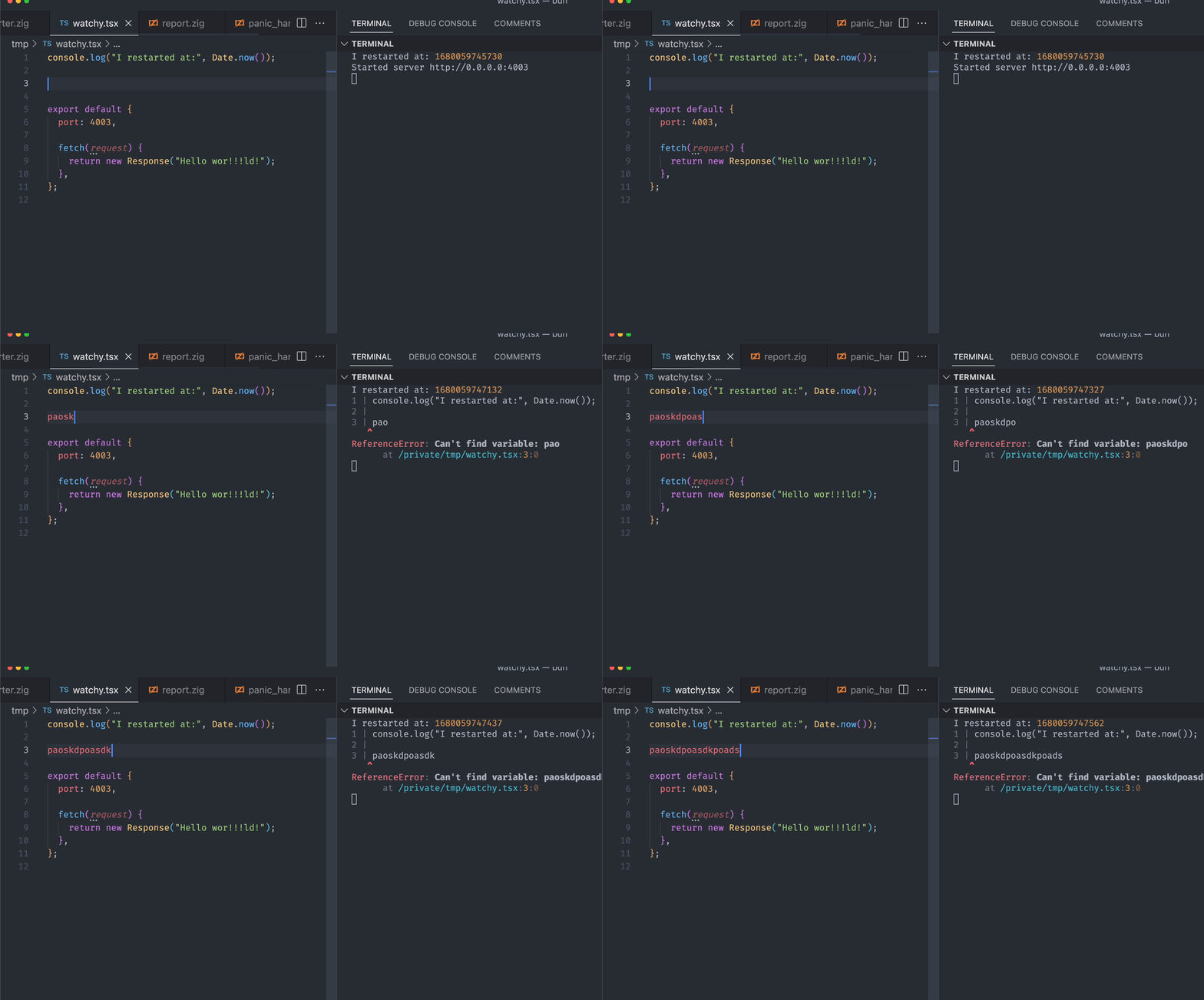
以下示例演示了 Bun 在编辑文件时的实时重载,VSCode 被配置为[每次按键保存文件](https://code.visualstudio.com/docs/editor/codebasics#_save-auto-save)。
```sh terminal icon="terminal" theme={"theme":{"light":"github-light","dark":"dracula"}}
bun run --watch watchy.tsx
```
```tsx title="watchy.tsx" icon="https://mintcdn.com/bun-zhcndoc/cnUTwgMuf4cCrwC-/icons/typescript.svg?fit=max&auto=format&n=cnUTwgMuf4cCrwC-&q=85&s=e7767043c9e885c34f2d6c8fe2a95217" theme={"theme":{"light":"github-light","dark":"dracula"}}
import { serve } from "bun";
console.log("我在此时重启:", Date.now());
serve({
port: 4003,
fetch(request) {
return new Response("Sup");
},
});
```
在此示例中,Bun 运行的效果如下:
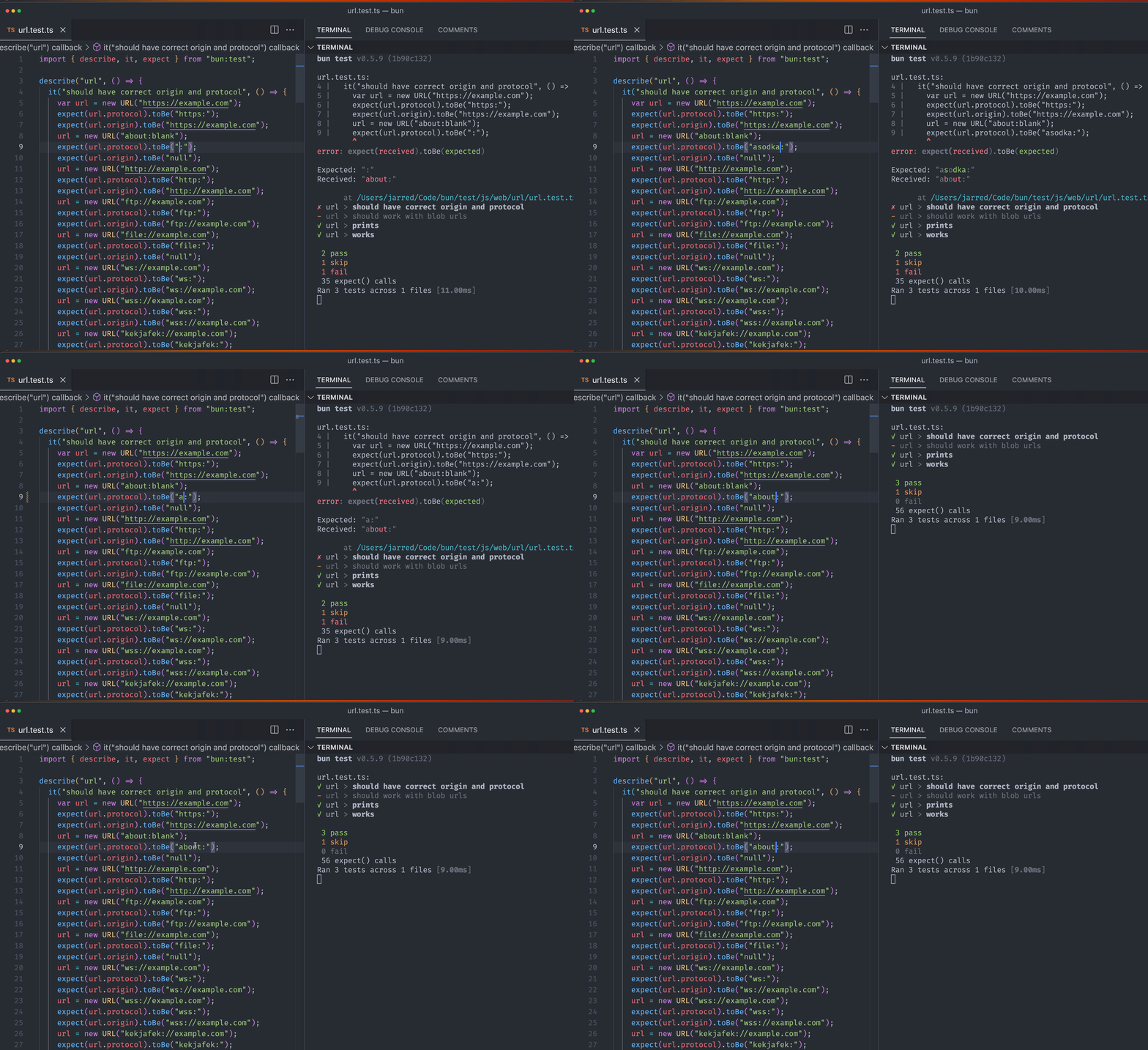
在启用了 `save-on-keypress` 的情况下运行 `bun test` 的观察模式:
```bash terminal icon="terminal" theme={"theme":{"light":"github-light","dark":"dracula"}}
bun --watch test
```
**`--no-clear-screen`** 标志在你不希望终端清屏的情况下很有用,例如使用 `concurrently` 同时运行多个 `bun build --watch` 命令时。如果没有此标志,一个实例的输出可能会清除另一个实例的输出,导致错误信息被隐藏。`--no-clear-screen` 标志类似于 TypeScript 的 `--preserveWatchOutput`,可以防止这种问题。它可以与 `--watch` 组合使用,例如:`bun build --watch --no-clear-screen`。
***
## `--hot` 模式
通过 `bun --hot` 启用热重载以运行 Bun 代码。与 `--watch` 模式不同,Bun 不会硬重启整个进程,而是检测代码变化并用新代码更新内部模块缓存。
这不同于浏览器中的热重载!很多框架提供 “热重载” 功能,可以编辑并保存前端代码(比如 React 组件),浏览器页面无需刷新即可看到变更。Bun 的 `--hot` 是这种体验在服务器端的对应实现。想要浏览器端的热重载,可以使用像 [Vite](https://vite.dev) 这样的框架。
```bash terminal icon="terminal" theme={"theme":{"light":"github-light","dark":"dracula"}}
bun --hot server.ts
```
从入口文件(上例中的 `server.ts`)开始,Bun 会构建所有导入源文件(排除 `node_modules` 中的文件)注册表并监视这些文件的变化。发现变化时,Bun 会执行 “软重载”。所有文件都重新求值,但所有全局状态(特别是 `globalThis` 对象)都会被保留。
```ts title="server.ts" icon="https://mintcdn.com/bun-zhcndoc/cnUTwgMuf4cCrwC-/icons/typescript.svg?fit=max&auto=format&n=cnUTwgMuf4cCrwC-&q=85&s=e7767043c9e885c34f2d6c8fe2a95217" theme={"theme":{"light":"github-light","dark":"dracula"}}
// 让 TypeScript 不报错
declare global {
var count: number;
}
globalThis.count ??= 0;
console.log(`重载了 ${globalThis.count} 次`);
globalThis.count++;
// 防止 `bun run` 退出
setInterval(function () {}, 1000000);
```
如果你用 `bun --hot server.ts` 运行这个文件,每次保存文件时你都会看到重载计数递增。
```bash terminal icon="terminal" theme={"theme":{"light":"github-light","dark":"dracula"}}
bun --hot index.ts
```
```txt theme={"theme":{"light":"github-light","dark":"dracula"}}
重载了 1 次
重载了 2 次
重载了 3 次
```
传统的文件观察器如 `nodemon` 会重启整个进程,因此 HTTP 服务器和其他有状态对象都会丢失。相比之下,`bun --hot` 能够在不重启进程的情况下反映代码更新。
### HTTP 服务器
这使得你可以更新 HTTP 请求处理函数,而无需关闭服务器本身。保存文件后,HTTP 服务器会用更新后的代码重新加载,进程不会重启。这带来了非常快的刷新速度。
```ts title="server.ts" icon="https://mintcdn.com/bun-zhcndoc/cnUTwgMuf4cCrwC-/icons/typescript.svg?fit=max&auto=format&n=cnUTwgMuf4cCrwC-&q=85&s=e7767043c9e885c34f2d6c8fe2a95217" theme={"theme":{"light":"github-light","dark":"dracula"}}
globalThis.count ??= 0;
globalThis.count++;
Bun.serve({
fetch(req: Request) {
return new Response(`重载了 ${globalThis.count} 次`);
},
port: 3000,
});
```
**注意** — 在未来版本的 Bun 中,计划支持 Vite 的 `import.meta.hot`,以便实现更好的生命周期管理和与生态系统的兼容。
热重载时,Bun 会:
* 重置内部的 `require` 缓存和 ES 模块注册表(`Loader.registry`)
* 同步运行垃圾回收(以减少内存泄漏,但会牺牲一定运行时性能)
* 重新从头转译所有代码(包括 sourcemaps)
* 使用 JavaScriptCore 重新求值代码
目前的实现并非特别优化,会重新转译未发生变化的文件,也没有尝试增量编译。这只是一个起点。